

The following fields can be translated into different languages:
•Description in the service master file
•Description in the package master file
•Category
•Title, Title 2
•Personal address
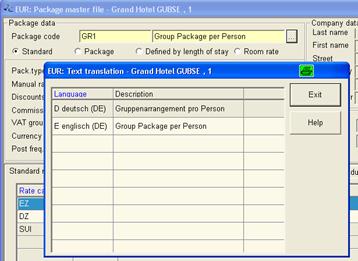
The texts are entered in different languages by pressing the ellipses-button. A Dialog opens in order to define the term in different languages.
Figure 49: Entering a text in a different language
When creating a reservation confirmation or an invoice, SIHOT suggests a layout in the language of the guest and enters the texts as translated in the above dialog. If a term does not have a translation, SIHOT will revert to the hotel language.