 on the
toolbar
on the
toolbarThere are several ways to select an account for check-out:
•while entering the room number in the field room, all rooms with the same combination of room number-digits and due for departure appear in a pop-up box – highlight the respective record in the pop-up box and press enter
•enter
the room number or the name of the guest and scroll forwards or backwards by
pressing the scroll buttons on the
toolbar
•press the button search accounts and highlight the respective account in the list box
•press the button departures and highlight the respective account in the list box
•via the room rack – call up context menu (check-out) on an occupied room
•via the departure summary – highlight the room(s) to be checkt out and call up the context menu (check-out)


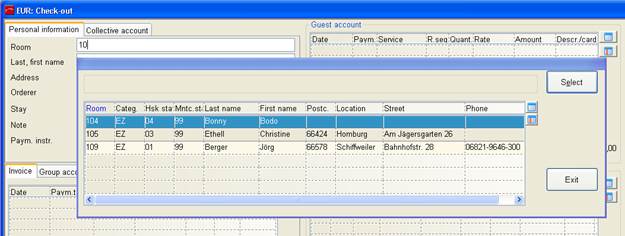
Figure 6: Pop-up with rooms for selection
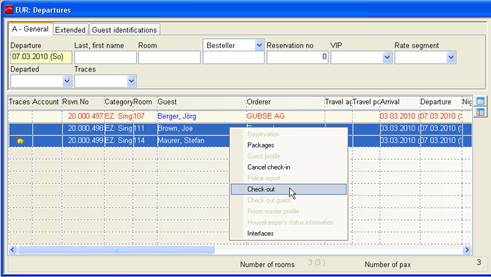
Figure 7: Check-out via departure summary