
If the module SIHOT.Sales is serialised, this tab lists all projects concerning this customer, as well as the activities related to the different projects.
Add projects using one of the following methods:
•press the key Ins
•double click on a blank line
•press
the insert-button
SIHOT opens a dialog to select a project from a list of existing ones.
Press the analysis-button  opens a dialog to compare the current
bookings with the targets set for this profile.
opens a dialog to compare the current
bookings with the targets set for this profile.
In the lower part of the window, SIHOT lists all activities relating to the highlighted sales project above. To add a new activity, use one of the following methods:
•press the key Ins
•press
the insert-button
The paper-icon  shows the comment of the highlighted
activity in full.
shows the comment of the highlighted
activity in full.
For further information, please refer to chapter Sales & Marketing.
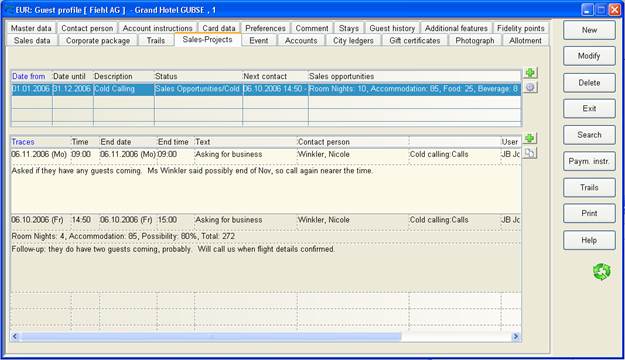
Figure 43: Tab Sales-Projects