Microsoft Excel will interpret telephone numbers as numeric values, dropping the leading zeros in area codes, etc.
è EXAMPLE: Area code 0682 becomes number 682.
Therefore, do not open the file with a double click in the Windows Explorer pane. Instead, use the following procedure:
•Rename the file, changing the suffix from *.csv to *.txt for Excel to interpret the figures correctly.
•Start the Excel programme.
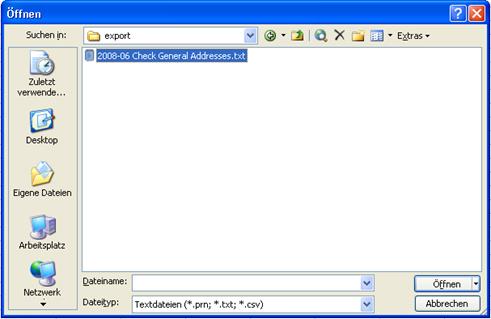
•In Excel, call up the open file-function.
•Select the export path and select text files.
•Highlight the file to be processed and press open.
Figure 116: Opening the file
SIHOT starts the text conversion assistant. In step 1, select separated by colon, etc.

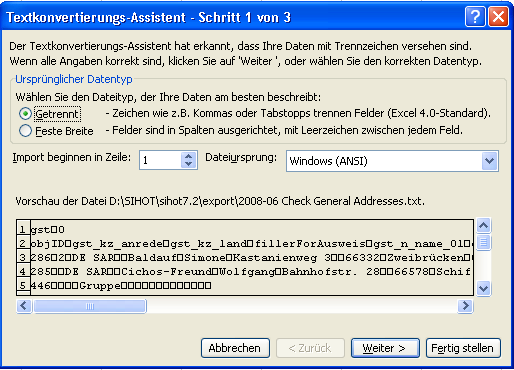
Figure 117: Conversion assistant, step 1
In step 2, select tab-stops and quotation marks.

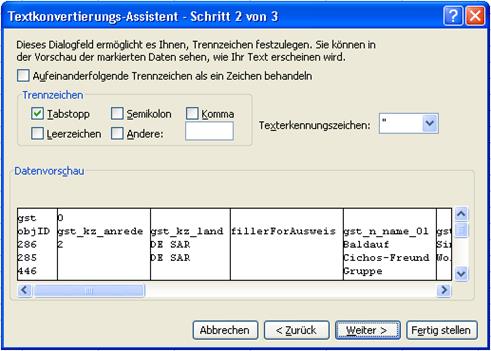
Figure 1182: Conversion assistant, step
In step 3, highlight all columns to convert them into text and press finish.

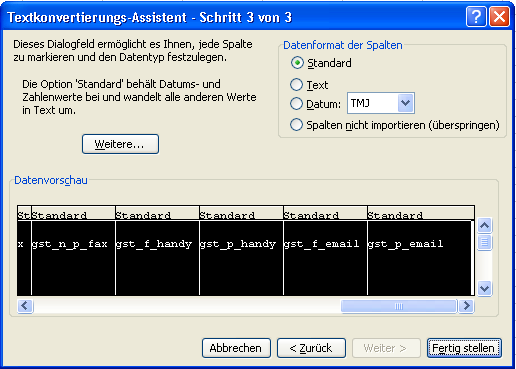
Figure 119: Conversion assistant, step 3
Excel opens a spread sheet with the values of the guest selection export.
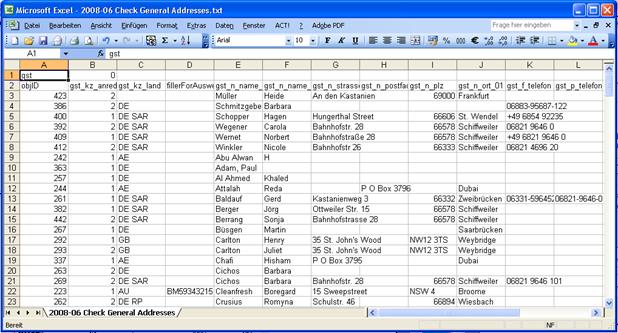
Figure 120: Sheet with exported data
You can now edit the data as required.