 Arrow:
You may see the following icons in the rate info’s listbox:
• Arrow:
The arrow points to the rate that corresponds with the rate segment entered in the selected guest profile.
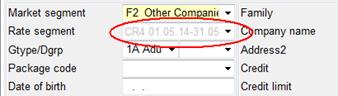
Figure 109: Guest profile setting
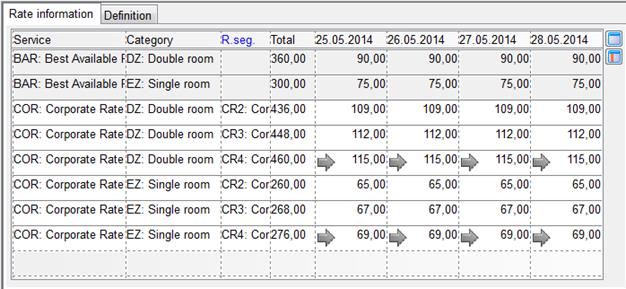
Figure 110: Arrow pointing to the rate with the appropriate rate segment
• Tick:
Tick:
The tick mark appears where package and rate segment correspond with the basic data entered in the selected guest profile.
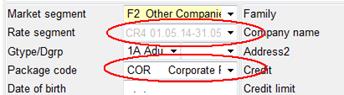
Figure 111: Guest profile settings
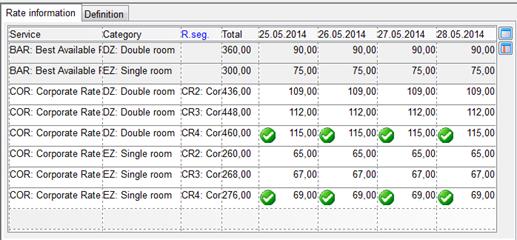
Figure 112: Tick mark with the rate corresponding to package and rate segment
• Stop-Sell:
During stop-sell periods, respective lines line are shown
in red writing and the do-not-enter symbol  is displayed in the column stop-sell.
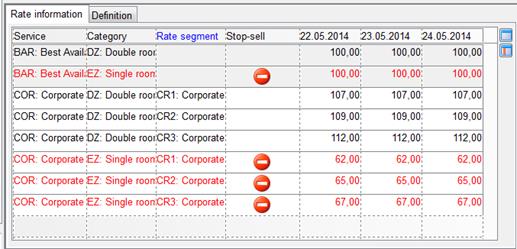
Figure 113: Stop-sell (single rooms) in the rate info
• Information:
The icon alerts users to the fact that there are restrictions of the inform and accept type.
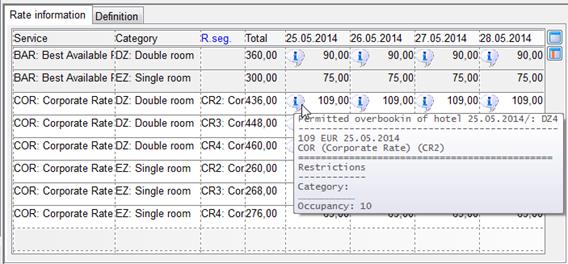
Figure 114: Category restriction in the rate info