
In this function, a rate segment is defined, which automatically refers to other rate segments depending on the period, calculating the rate accordingly. The following steps are required for implementation:
•The (automatic) rate segment is entered under registry key [7304].
Figure 2: Registry key [7304]
•Create the package to be applied with the automatic rate segment. Do not enter any rates as these will be calculated with the rate segments of the reservation’s period.
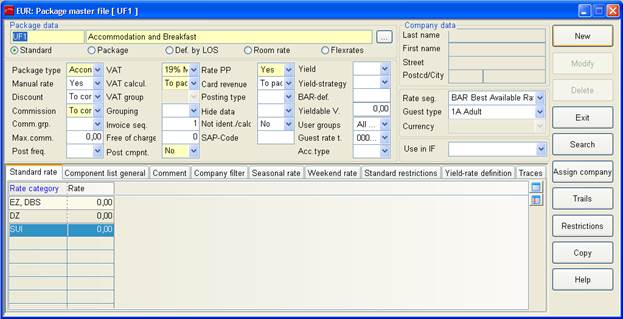
Figure 3: New package with automatic rate segment
•Create packages with the respective rate segments and enter the room rates.
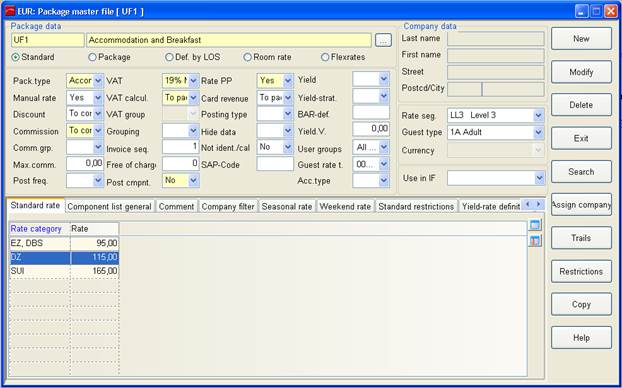
Figure 4: New package with rate for automatic rate segment
•Open the dialog automatic rate segment (menu master files - hotel data) to define which rate segment applies during which reservation period.
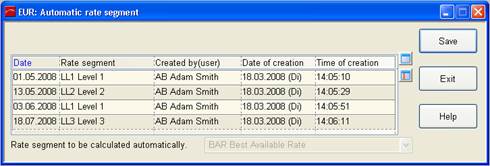
Figure 5: Dialog automatic rate segment
•In a reservation, enter the package and the automatic rate segment. The rate will be calculated according to the rate segment defined for the reservation period.
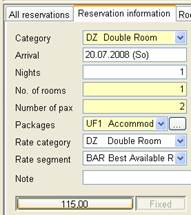
Figure 6: Rate calculation using the rate segment applicable for the period of stay.