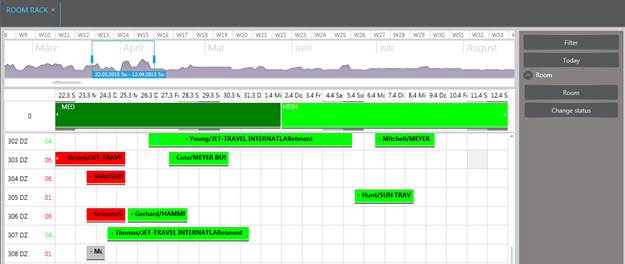
Ø Click on a room number in the left pane.
SIHOT displays additional buttons in the function pane. You can now:
•open the room’s master file
•change the room’s housekeeping and maintenance status
•access the key card system
•view the room’s location on the floor plan
•open the room’s master file
Ø Highlight a room over period of time in the rack.
SIHOT displays additional buttons in the function pane. You can now:
•enter a reservation (see section Reservations for details)
•change the room status or block rooms (see section Housekeeping for more information on these functions)
Figure 6: Functions relating to a room