 next to the field Reservation type.
In addition to creating reservations via allotment rack, you can take the rooms in a reservation from an allotment as follows:
Ø In the reservation layout, enter the reservation’s details as required.
Ø Click Allotments next to the field Reservation type.
SIHOT opens a dialog box showing available contracts by the respective client.
Ø Select the applicable allotment contract.
Ø Click Modify in the function pane to save the reservation.
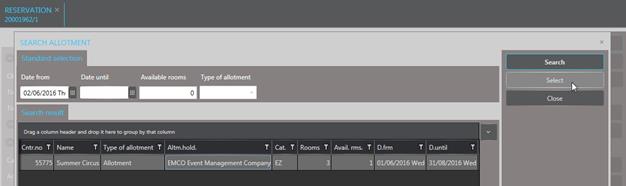
Figure 135: Selecting an allotment in a reservation
It is often necessary to allocate a room in a different category than the reserved allotment category. To ensure that this does not cause an alteration in the occupancy figures, note the following:
•Change the category on the rooming list only.
•Do not change the allotment category entered in the reservation data.
•Change the rate category only if you need to adjust the rate (e.g. charge a lesser rate for a downgraded room).
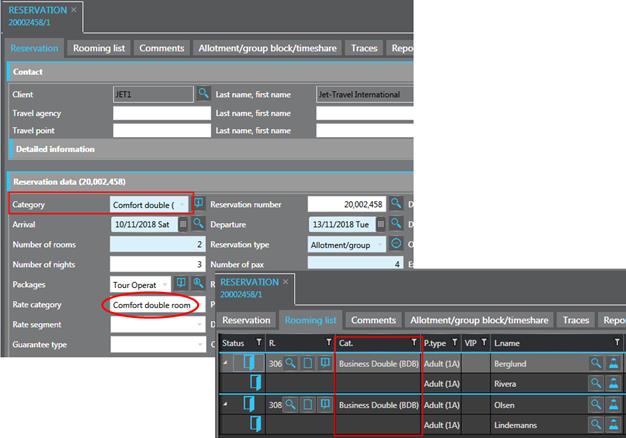
Figure 136: Allotment category vs. allocated category