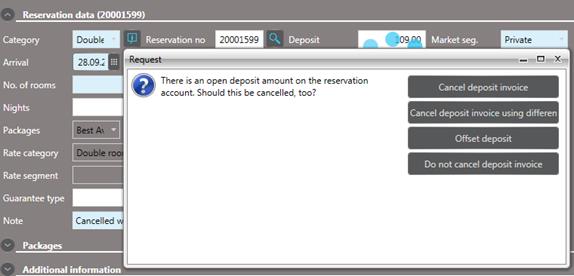
If a reservation with a deposit payment is cancelled, the reservation account must be balanced and closed. You can either refund the deposit or process the deposit according the hotel’s cancellation and no-show policy. A query will pop-up offering the following options:
•Cancel deposit invoice:
Return the deposit to the client using the same payment type that the deposit was rendered with. The refund is posted to the reservation account automatically.
o If interfaced to an online payment system, the refund to the client’s credit or charge card will be carried out automatically.
o If there is no such interface installed, the amount must be refunded manually with the PDQ-machine.
•Cancel deposit invoice using different payment type:
Return the deposit to the client and choose a payment type that is different from the one that the deposit was originally made with.
•Offset deposit:
Use the deposit to settle no-show or cancellation charges.
•Do not cancel deposit invoice:
Select this option for non-refundable deposits.
The selected option applies to all deposits that have not yet been reposted to a guest account.
NOTE: The same query will appear if the status of a reservation with deposit is changed to No-show.
Figure 101: Deposit processing options
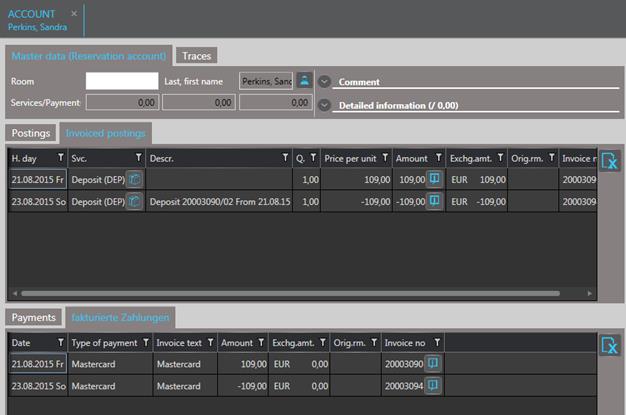
Figure 102: Deposit cancelled and payment refunded in the reservation account