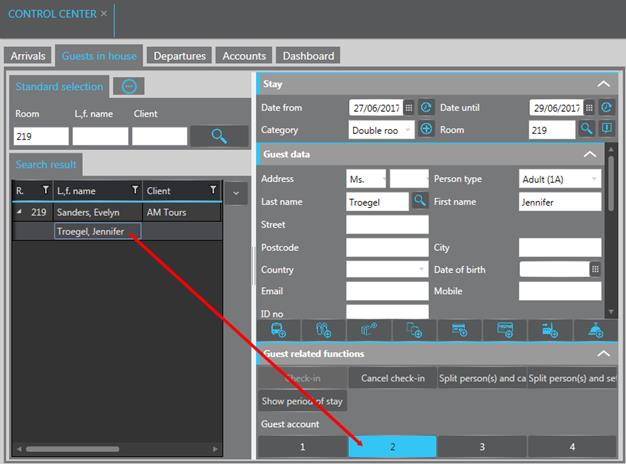
To establish a separate account for a sharer, proceed as follows:
Ø Highlight the guest in the listbox in the control center or on the rooming list.
Ø Open the expander Edit data and the sub-expander Guest related functions.
Ø Click one of the buttons with a new guest account number.
Ø Save the new account by clicking Modify.
SIHOT creates a guest and a client account for the guest.
TIP:
If you’re using the functions Distribute among shares,
SIHOT creates the accounts automatically.
Figure 41: Assigning a separate guest account
The separate accounts are shown in the account search as well as in the expander Edit data.
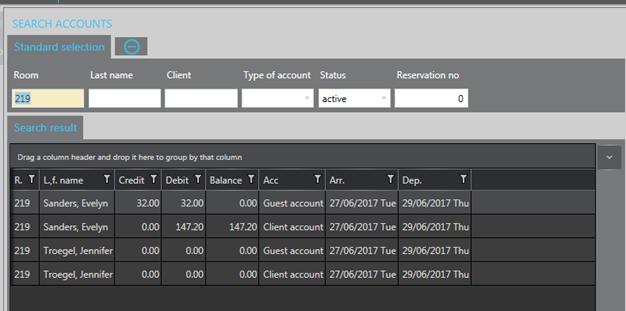
Figure 42: Account search
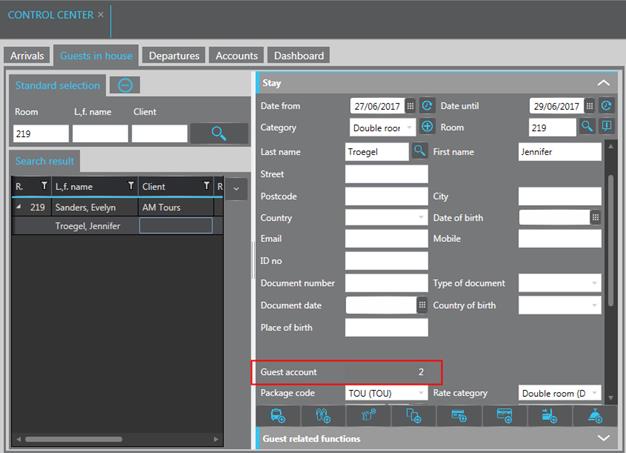
Figure 43: Separate account information